This guide outlines how to configure an agency-wide snapshot that automatically applies default settings, assistant templates, usage limits, feature access, and rebilling to each new sub-account. It also explains how to apply an admin-level lock for added protection. This setup streamlines onboarding, enforces consistency, and allows agencies full control over new client environments.
Click on the Agency tab from your main dashboard interface.
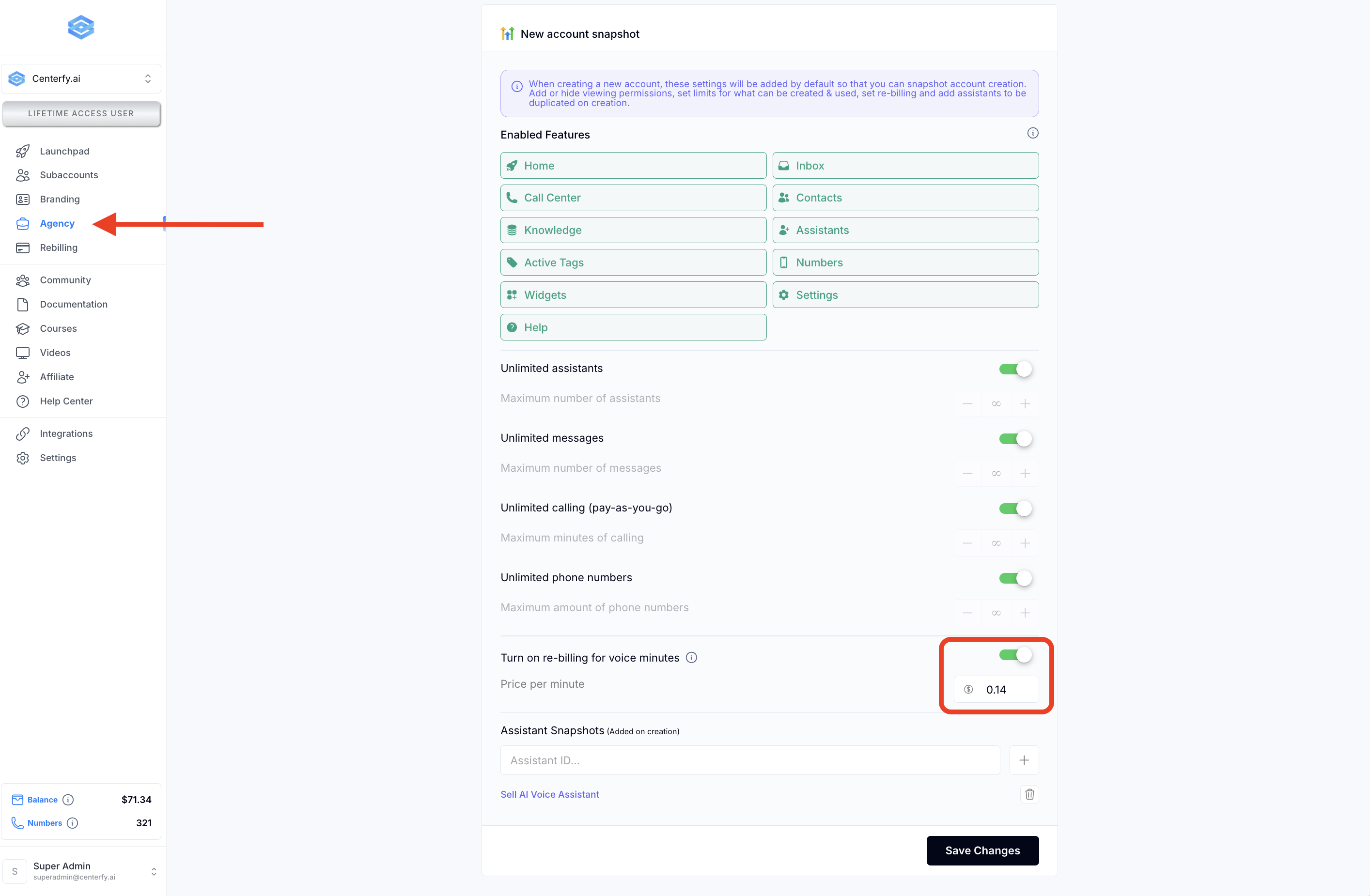
Locate the section titled “New Accounts Have a Snapshot.”
Enable all features you want available for future sub-accounts.
To prevent clients from seeing specific tools (e.g., call center, widgets), switch those options off.
Note: Admins will retain access to all features regardless of visibility settings.
Specify limits for:
Maximum number of assistants
Maximum messages
Or leave these fields set to unlimited, based on your plan offerings.
Enable the Rebilling toggle to apply billing to new sub-accounts.
Set the price per voice minute (e.g., $0.14)—keeping in mind that your cost is $0.07 per minute for profit margin consideration.
Find a sub-account that contains a complete or well-designed assistant you want new subaccounts to inherit.
Copy the Assistant Snapshot ID from that account.
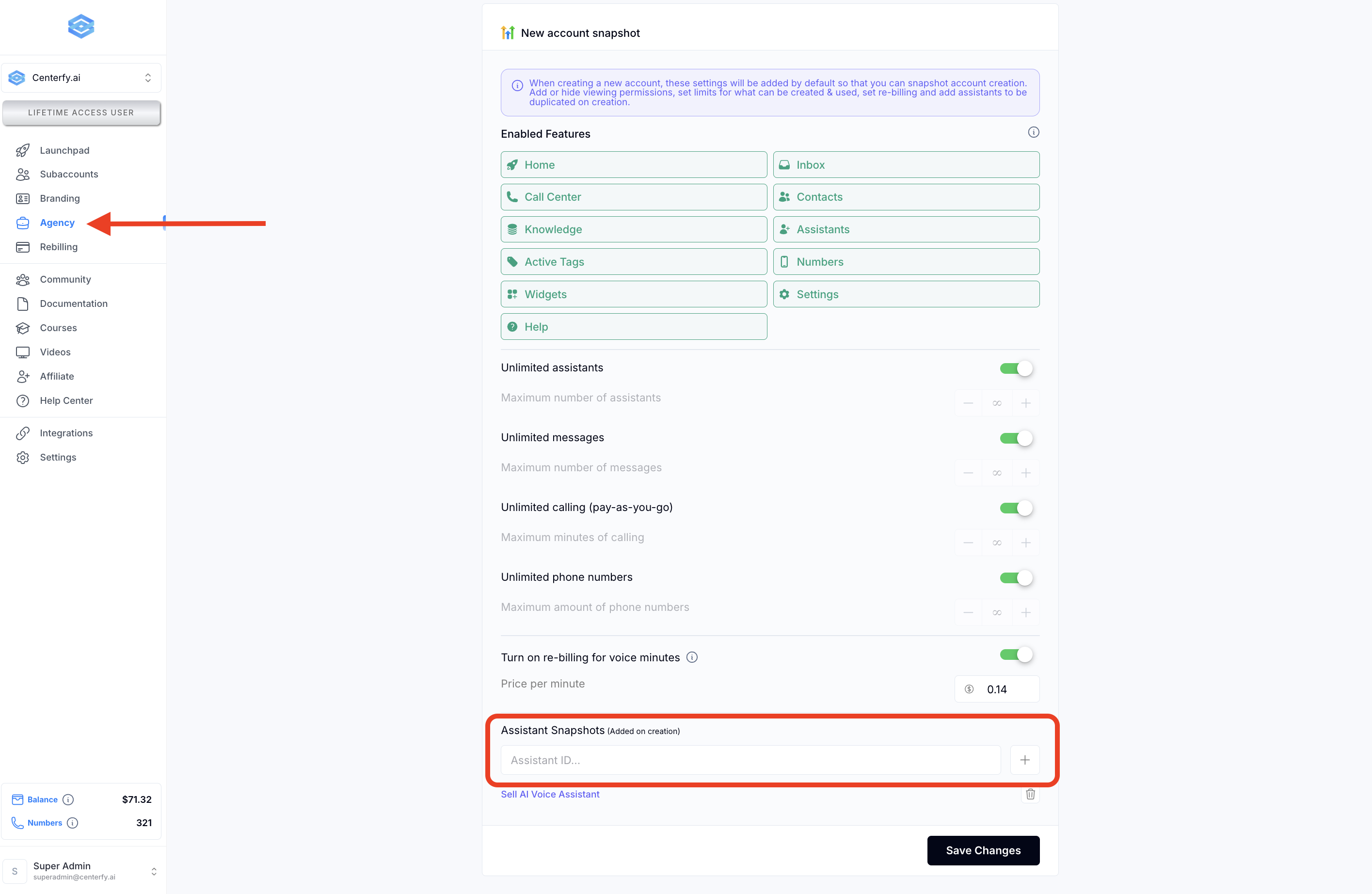
Return to the Agency settings area and paste it into the Assistant Snapshot field.
Click Add — this ensures that every new sub-account includes this assistant template by default.
Q1: Will turning off features affect admin visibility?
No. Hiding features only applies to clients—admins still have full access.
Q2: Can the snapshot settings be changed later?
Yes. You can adjust the assigned features, assistant templates, and usage limits at any time. These changes will apply to all sub-accounts created after the update.
Q3: Is the assistant snapshot applied automatically?
Yes. As long as the snapshot ID is entered in agency settings, it will auto-clone into every newly created sub-account.
Q4: What if I forget the admin password for a locked account?
Only someone with agency dashboard access can reset or disable the Admin Lock.
