If your AI caller is not being sent successfully or showing in the logs, it means its not connecting to the users phone.
There are 3 potential causes for this
User has blocked the call
Carrier has blocked the call
The number is on the DNC list.
To diagnose the reason why the call is not going through, you can setup a “add note” action after the “Make AI call” action and merge the “Create Assistants Hybrid agents” call logs.
Here's how:
In the workflow, after the "make AI call action" add a "note" action, and pull the hybrid agent values from the merge fields so that it logs any errors that may have occurred, or if the number is on the DNC list. We can also bypass DNC completely if you setup a Twilio account and use Twilio numbers.
Here is the what the Notes action should look like inside the workflow:
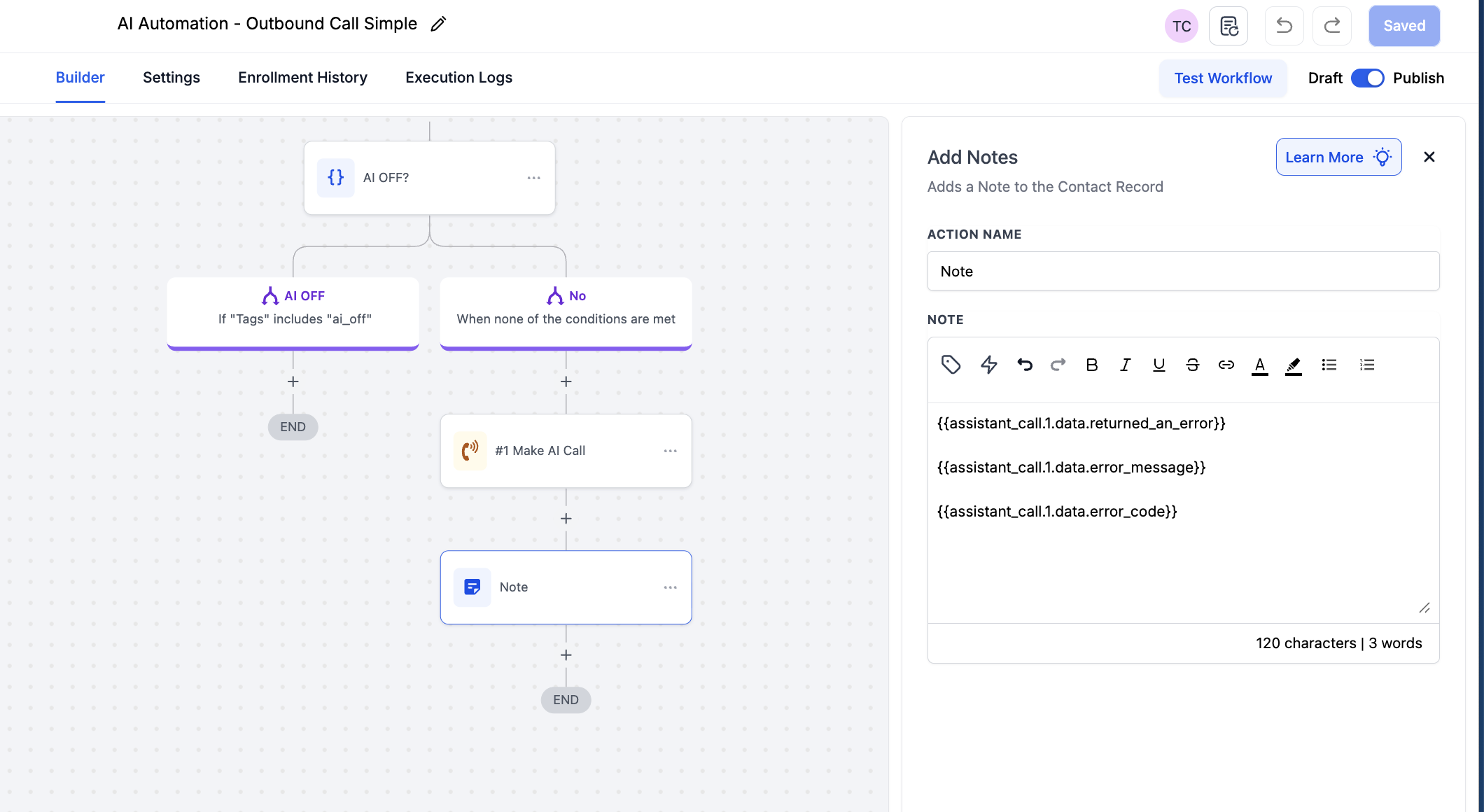
Once the call goes through the automation it will show you what the “error” message is in the notes of the contact profile.
