Purpose
This feature allows your AI Voice Agent to access and use Custom Fields from your Go High Level (GHL) CRM during a live AI call. Whether it's referencing the contact’s name, service type, appointment date, or any other stored field, this integration enables personalized, intelligent conversations that improve trust, lead quality, and conversion rates.
Use the “Fields & Values" dropdown and select the custom fields to put inside your prompt.
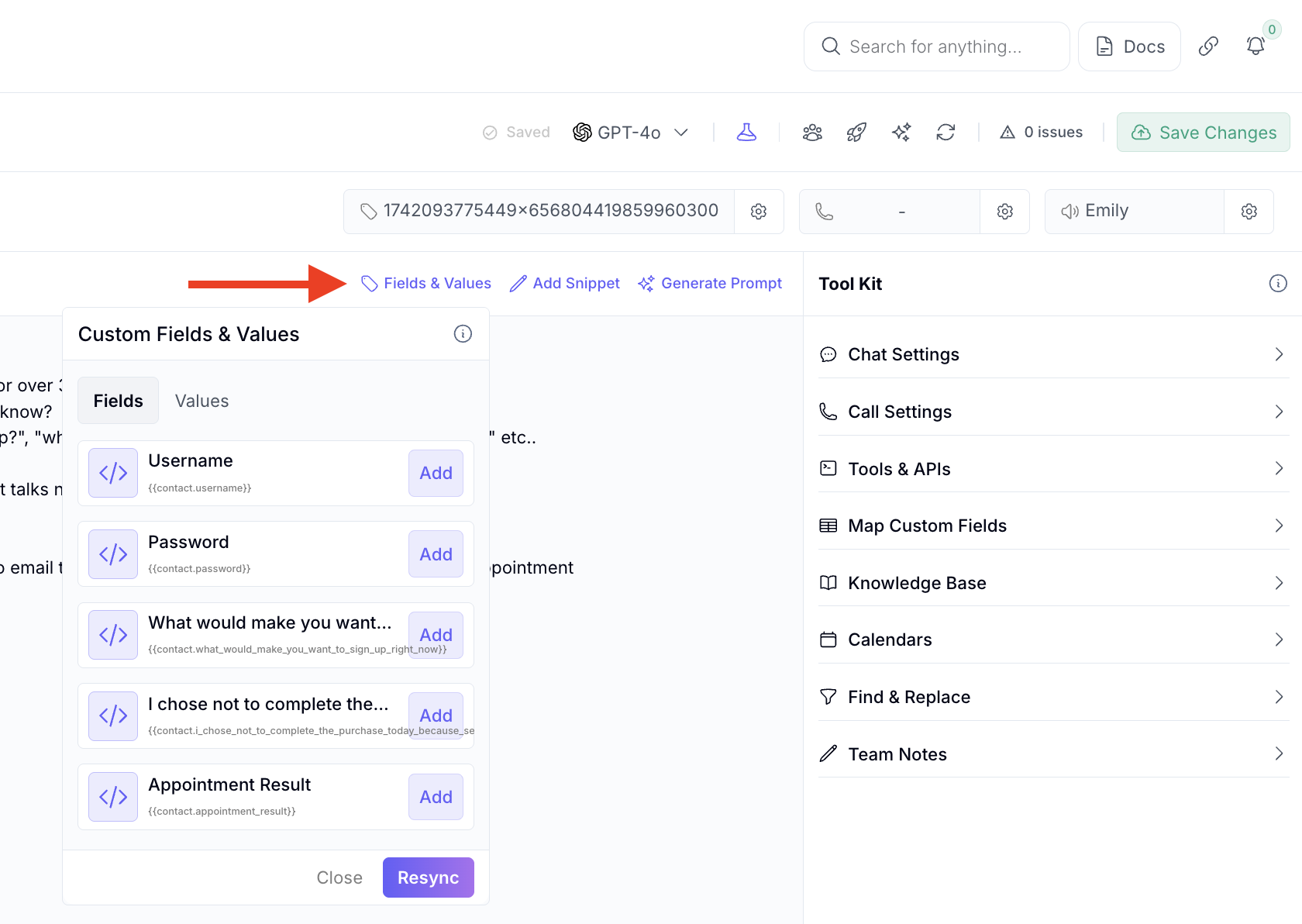
Reference the {{custom fields}} inside your prompt.
Q: What are custom fields in GHL?
A: Custom fields are data points you create in your GHL CRM—like "Service Interested In", "Appointment Date", "Budget", or any other client-specific info.
Q: How does the AI use custom fields during a call?
A: The AI can read custom field values from a contact record before or during a call and insert that data into the conversation naturally. Example: “Hi John, I see you’re interested in {laser treatments}, let’s talk about that!”
Q: Do I need to map custom fields manually?
A: No manual mapping is needed if your AI is integrated with your GHL account. It will automatically access the custom fields based on the custom fields you have put in the prompt.
Q: Can the AI also update custom fields during a call?
A: Yes. The AI can extract information from the conversation and update existing or new custom fields in GHL using the data extraction tool here
Q: What if a custom field is empty?
A: You can set fallback phrases. For example, if “Service Interested In” is blank, the AI could say: “Can I ask what service you’re most interested in today?”
Q: Is this secure and compliant?
A: Yes. The data remains within your GHL ecosystem and is accessed securely through encrypted API connections.
