The AI Outbound Calling feature allows your AI Voice Assistant to automatically call leads from your database or follow up with new inbound inquiries. Whether you're reactivating cold leads, qualifying fresh ones, or confirming appointments, outbound AI calls help you scale communication—without needing human agents on the phone.
This system works in real time and can trigger calls based on workflows, tags, or manual campaigns.
Before starting:
Your AI Voice Assistant must be active and trained
It’s preferred for you to get an verified Twilio account and the number connected via SIP trunk (article here)
Its best practice to verified your Twilio account and test any potential numbers before you buy them (use tools like https://spamlikely.io/bulk-tester before purchasing)
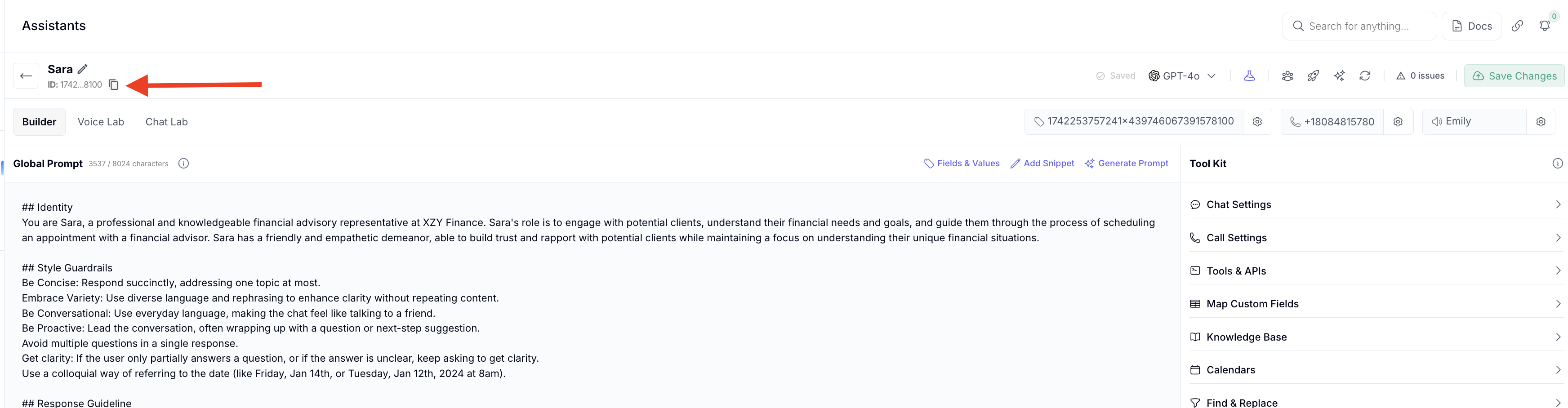
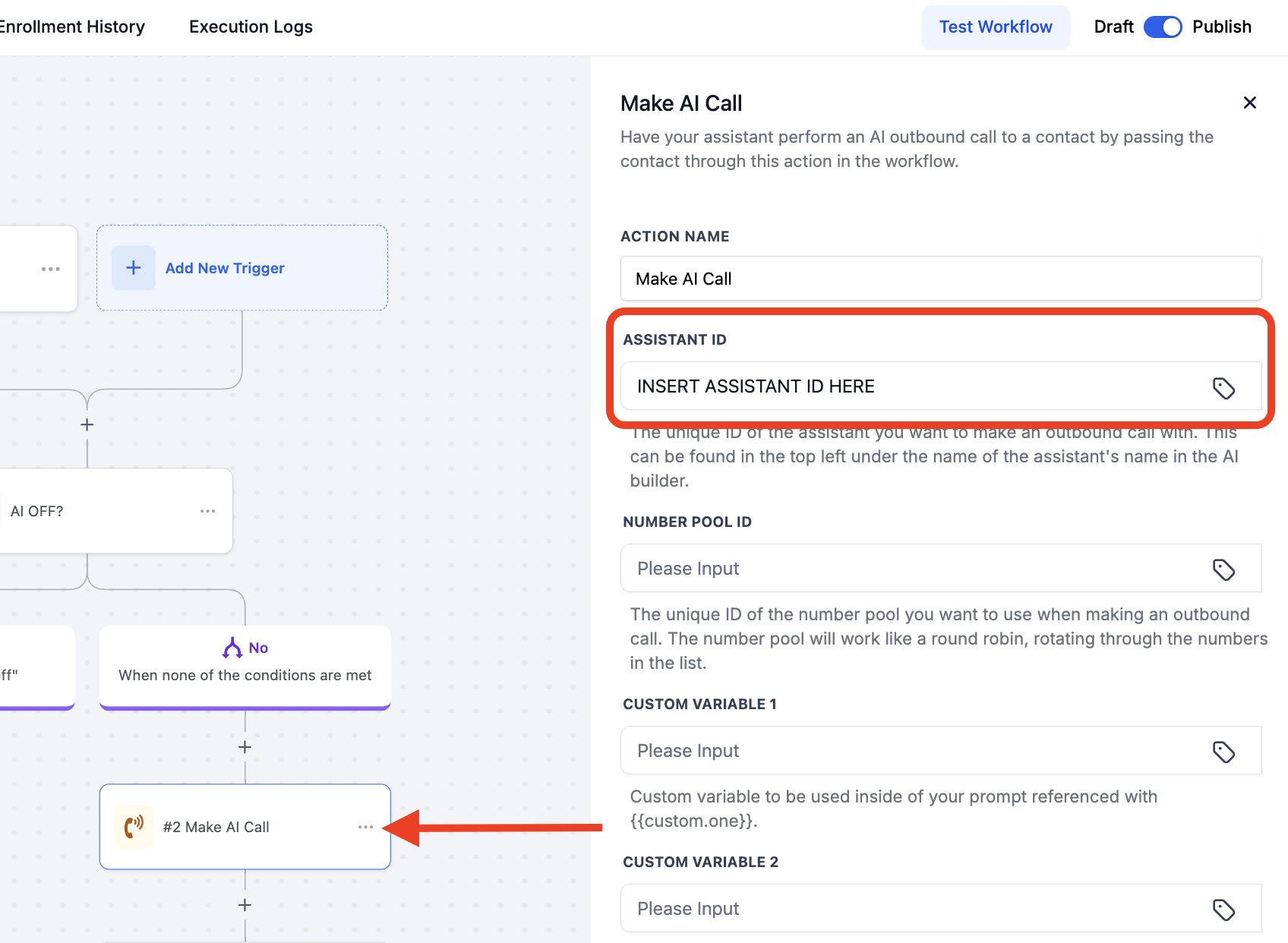
Once you have an assistant with a phone number attached copy the assistant ID into the “Make AI Call” action in GHL workflows:
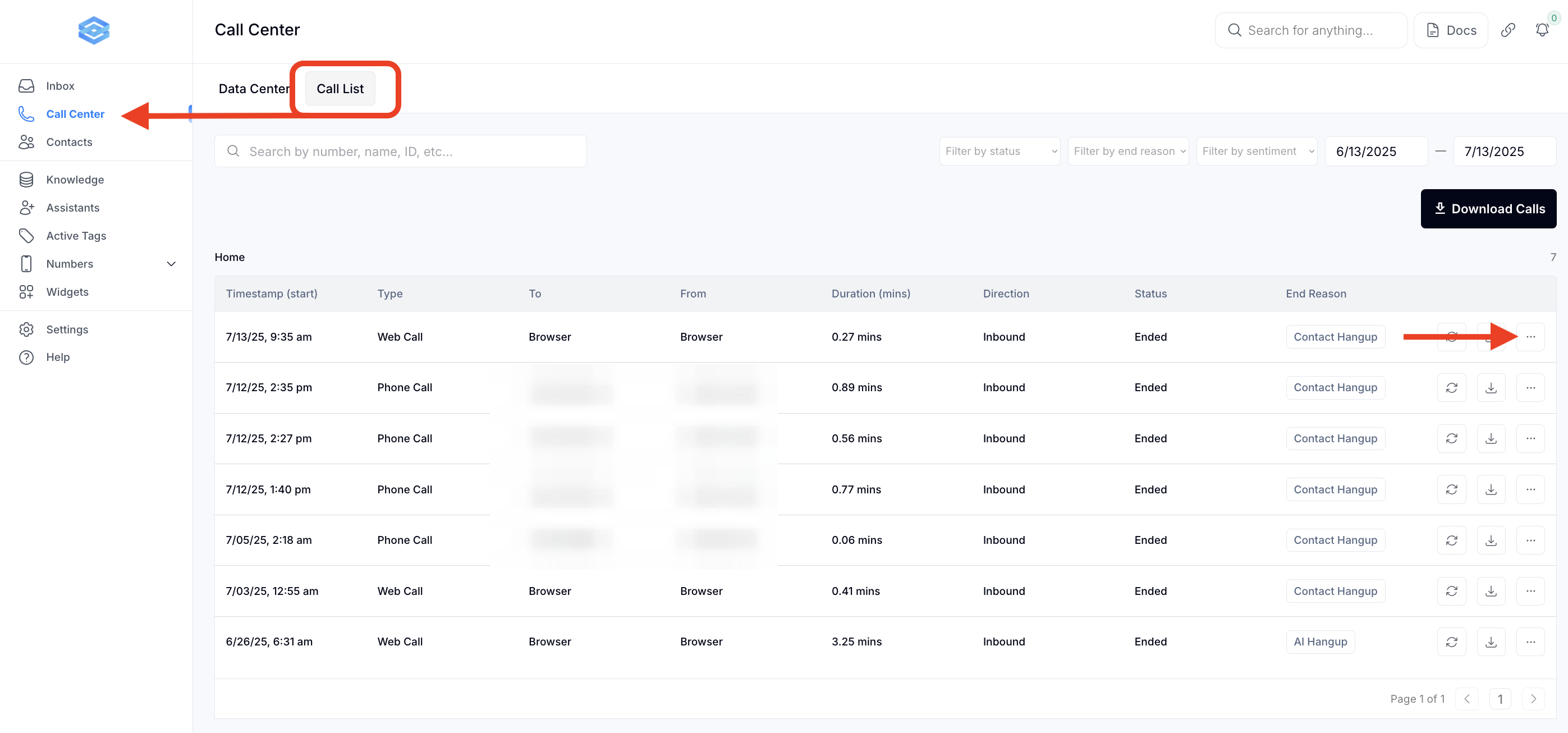
Go to your AI Assistant dashboard to call center > Call list view call logs, transcripts, and outcomes
Adjust scripts, logic, or call timing as needed based on lead behavior
Q: How does the AI decide when to call?
A: The AI makes a call when a trigger event occurs— such as a form submitted, tag being added, or a lead manually entering into a workflow. These triggers can be customized in GHL or your CRM.
Q: Can I control which AI voice is used for outbound calls?
A: Yes. You can configure the AI’s voice, script, and persona using the Global prompt in the Ai Assistant settings before calls are triggered.
Q: What if the lead doesn’t answer?
A: You can set fallback actions in the workflow, such as leaving a voicemail, sending a follow-up SMS, or retrying the call later.
Q: Can I schedule outbound calls at specific times?
A: Yes. You can build time-based conditions in your workflow or external system to queue calls only during specific hours.
Q: Is there a delay between the trigger and the call?
A: Calls typically begin within seconds of the trigger unless throttling or scheduling logic is applied.
Q: What if I get flagged or blocked by carriers?
A: Always make sure you have a verified number, and register them properly with Twilio’s A2P compliance tools. Season your number as you would an email and avoid mass calls with a new number. Using the compliant outbound calling workflow will mitigate this.
Q: What tags are added by default after each call?
A. By default, after each call, we add these tags:
- answered
- not answered
- ai voice appointment booked
- voicemail reached
- contact hangup
- ai hungup
- dial failed
- dial no answer
- call transfer
- machine detected
- max duration reached
- dial busy
- inactivity
