This feature allows your AI Assistant to automatically add or remove tags from a contact during or after a conversation. Using built-in tools or triggers, the AI can manage tags without human input—helping you automate workflows, update contact records, or control how and when the AI engages in future interactions.
- answered
- not answered
- ai voice appointment booked
- voicemail reached
- contact hangup
- ai hungup
- dial failed
- dial no answer
- call transfer
- machine detected
- max duration reached
- dial busy
- inactivity
Q: How can the AI add or remove a tag automatically?
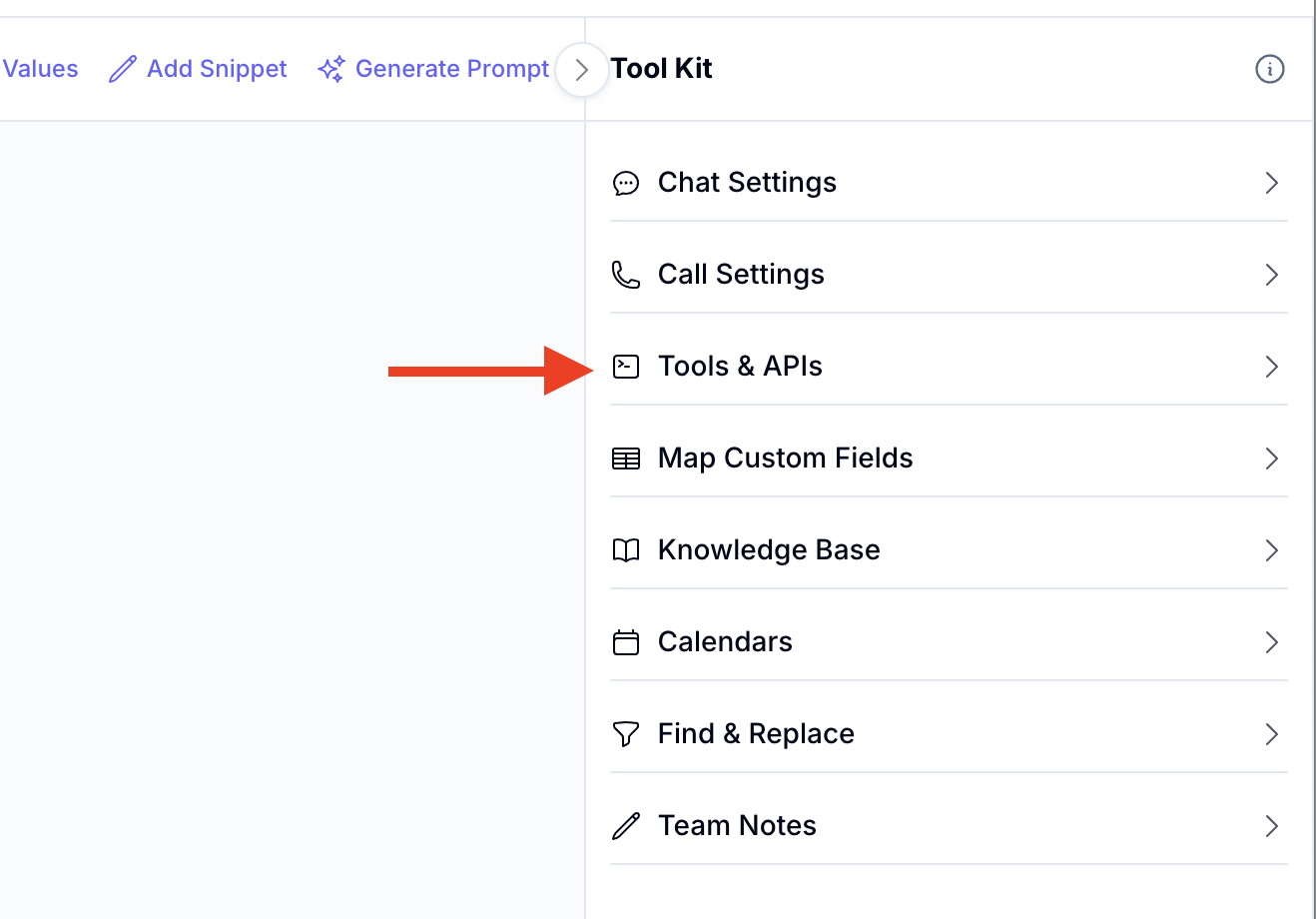
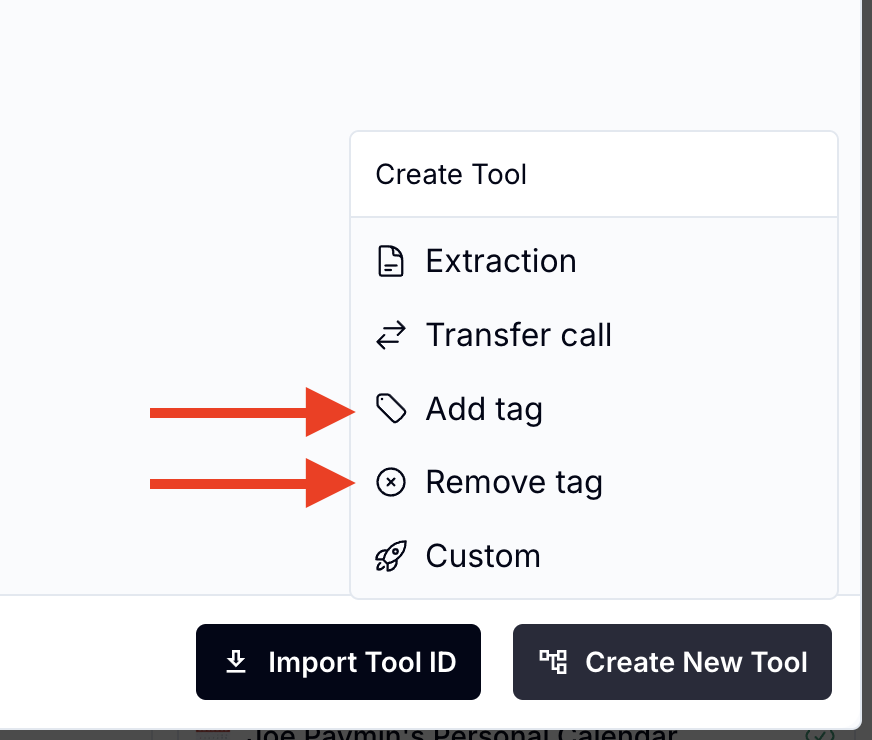
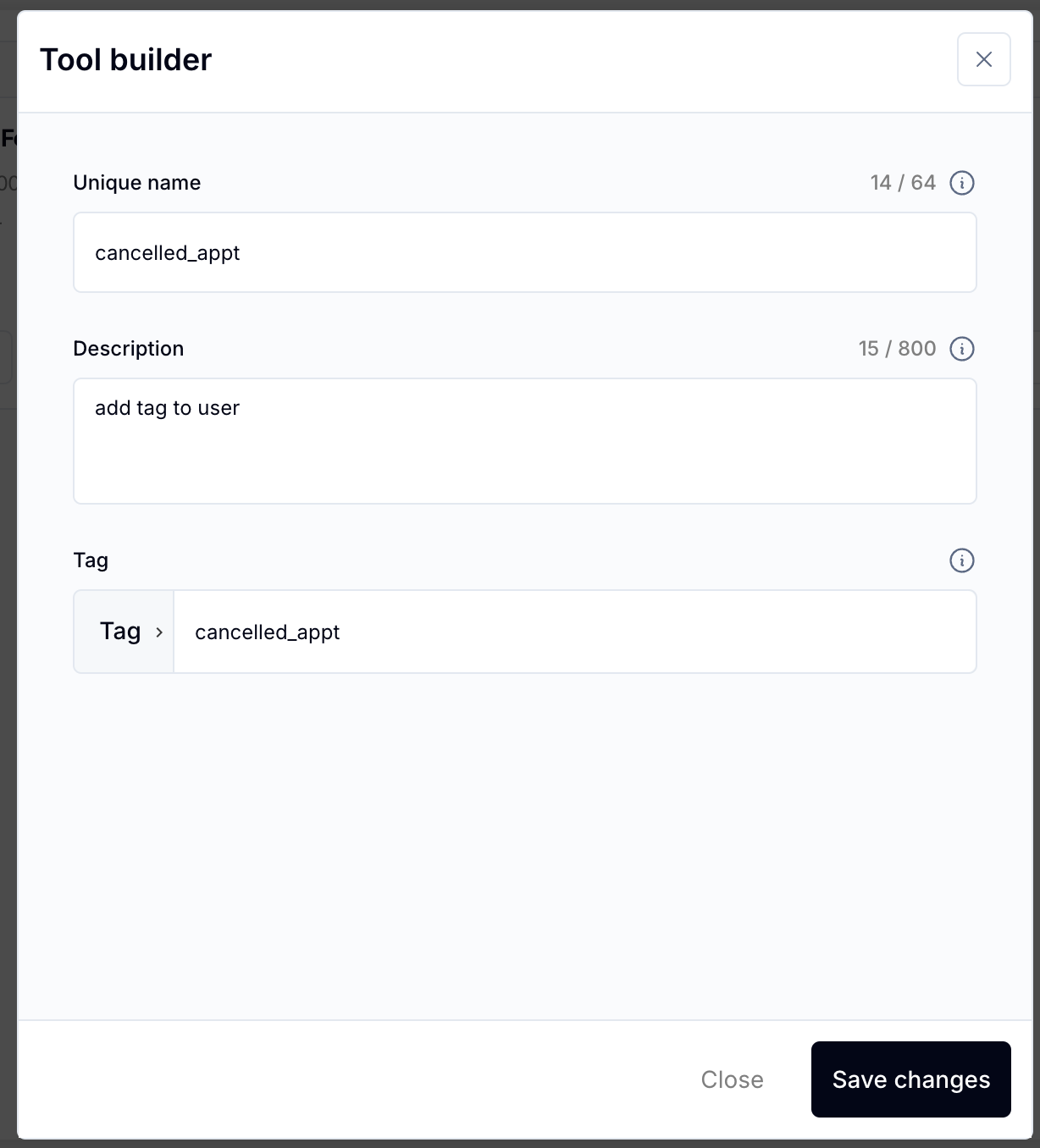
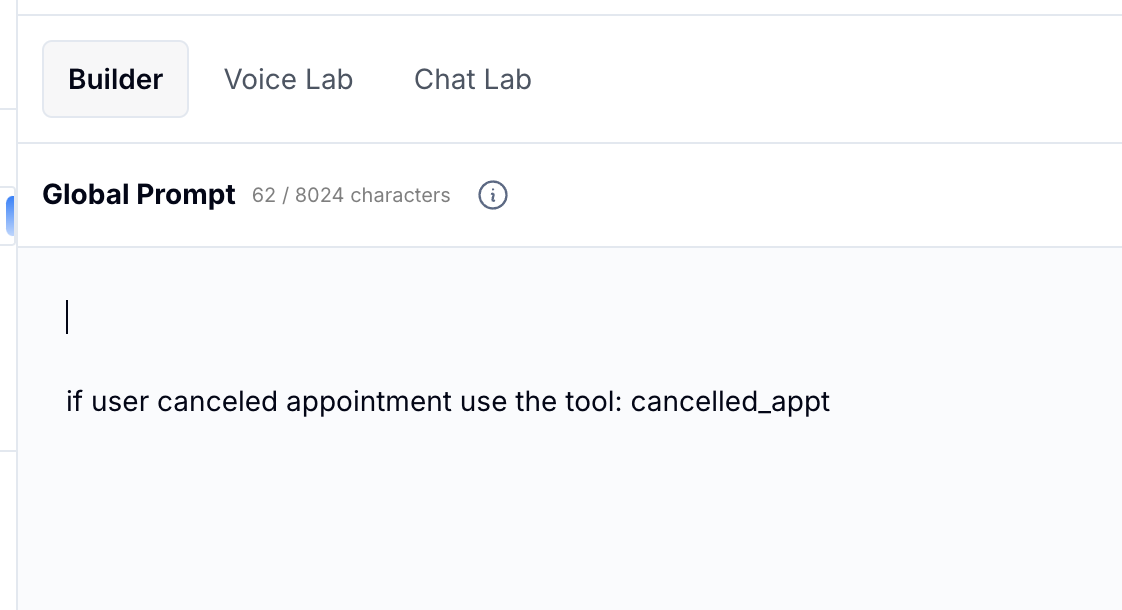
A: You can use a tool (such as the “Add/Remove Tag” action block) inside your assistant’s AI tools. Based on what the user says or does, the AI will apply or remove specific tags from the contact record.
Q: some common use cases
A:
Add a tag when a user expresses interest (e.g., interested_in_consult)
Remove a tag after a lead has been qualified
Add smschat_ai to activate AI follow-up
Remove smschat_ai to pause AI responses
