This setup allows you to use a Google Sheet as a dynamic knowledge base for your AI Assistant. When integrated correctly, the AI can reference rows of structured information (e.g., FAQs, pricing, services) during conversations—keeping answers current and easily editable without needing to reprogram the assistant.
Your AI Assistant
A structured Google Sheet (with clearly labeled columns)
A free Buildship.com account (to act as the connector)
Create a sheet with labeled columns (e.g., Question | Answer or Topic | Info)
Make sure your sheet is set to public or shared with the integration service
Keep your data clean and concise for easy parsing
Go to https://buildship.com and sign up for a free account
Log in and start a new workflow or automation
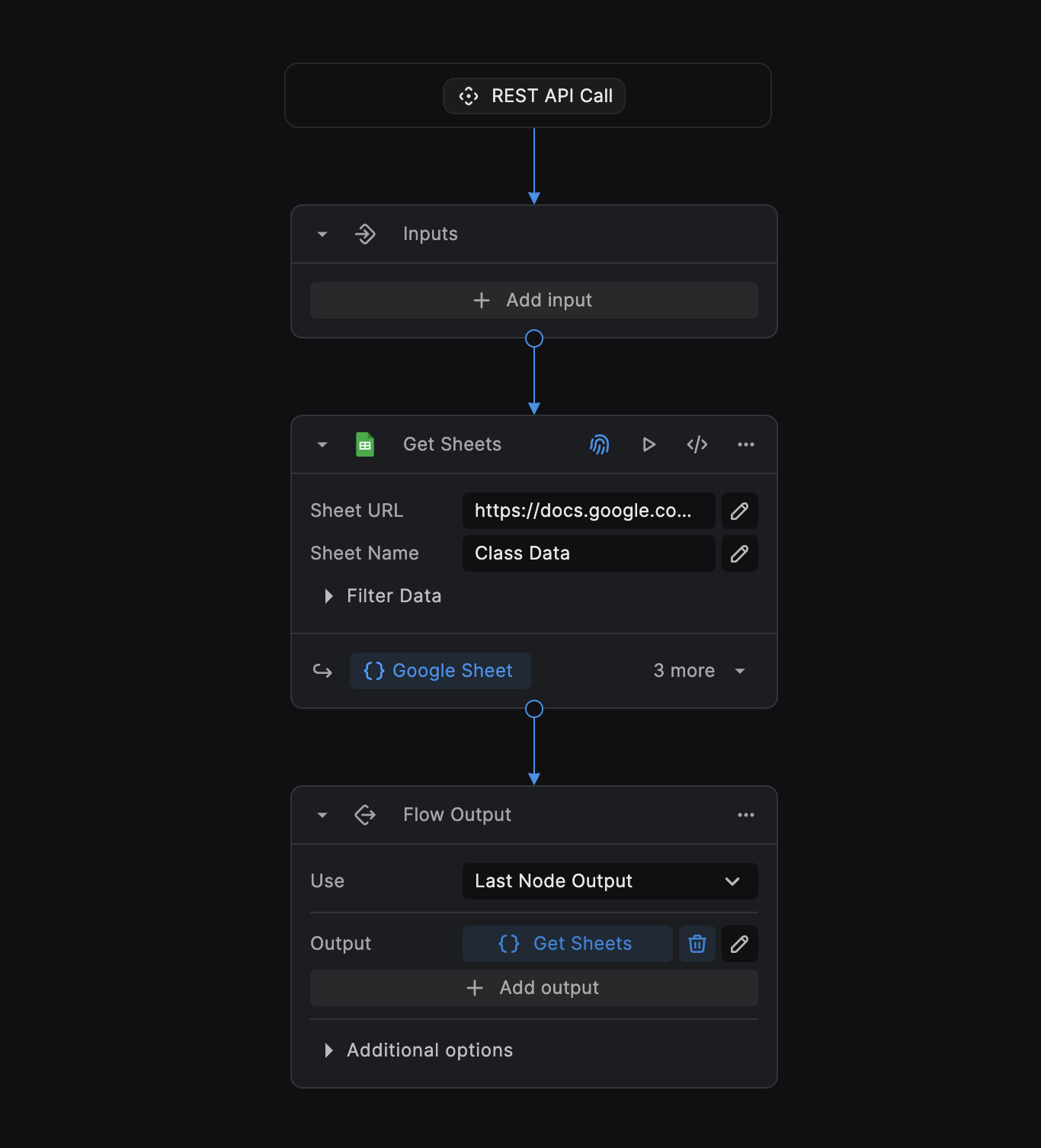
Create a new flow in Buildship
The trigger will be rest API call, click connect.
Add the Google Sheet node below the input node
Authenticate with your Google account
Paste the Worksheet URL and worksheet name
Use Buildship’s webhook or API module and paste in the URL section of the AI “Custom tool” modal
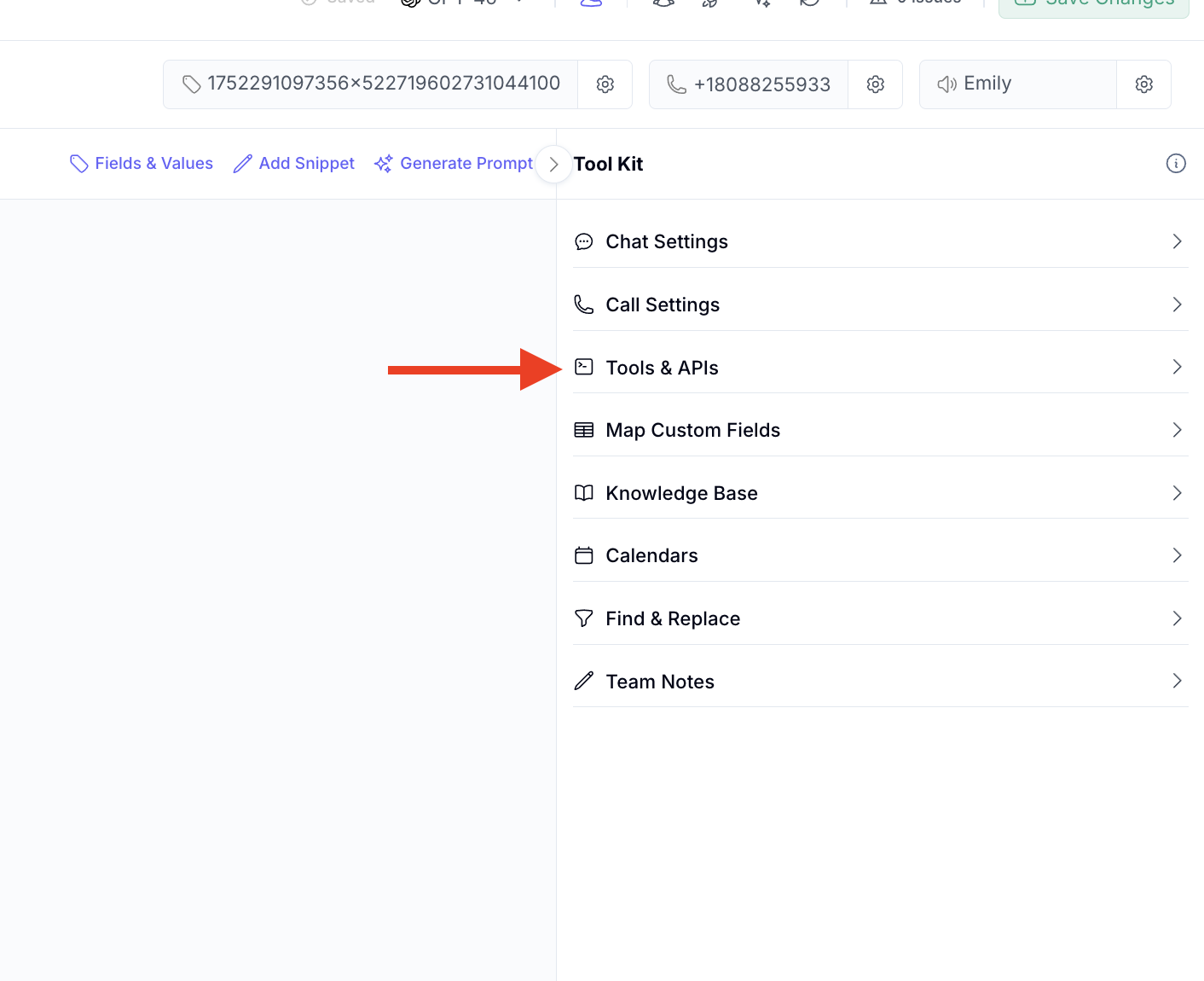
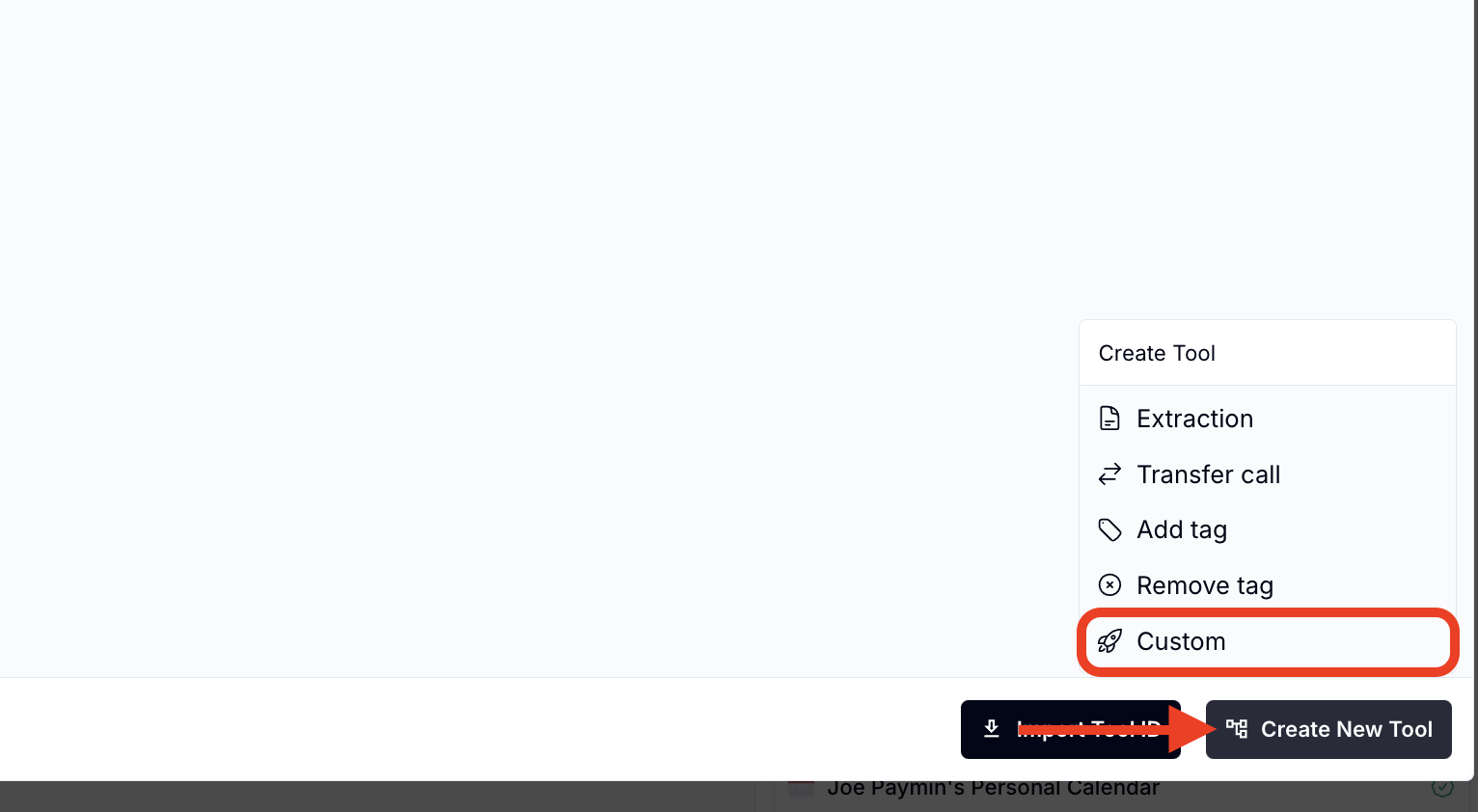
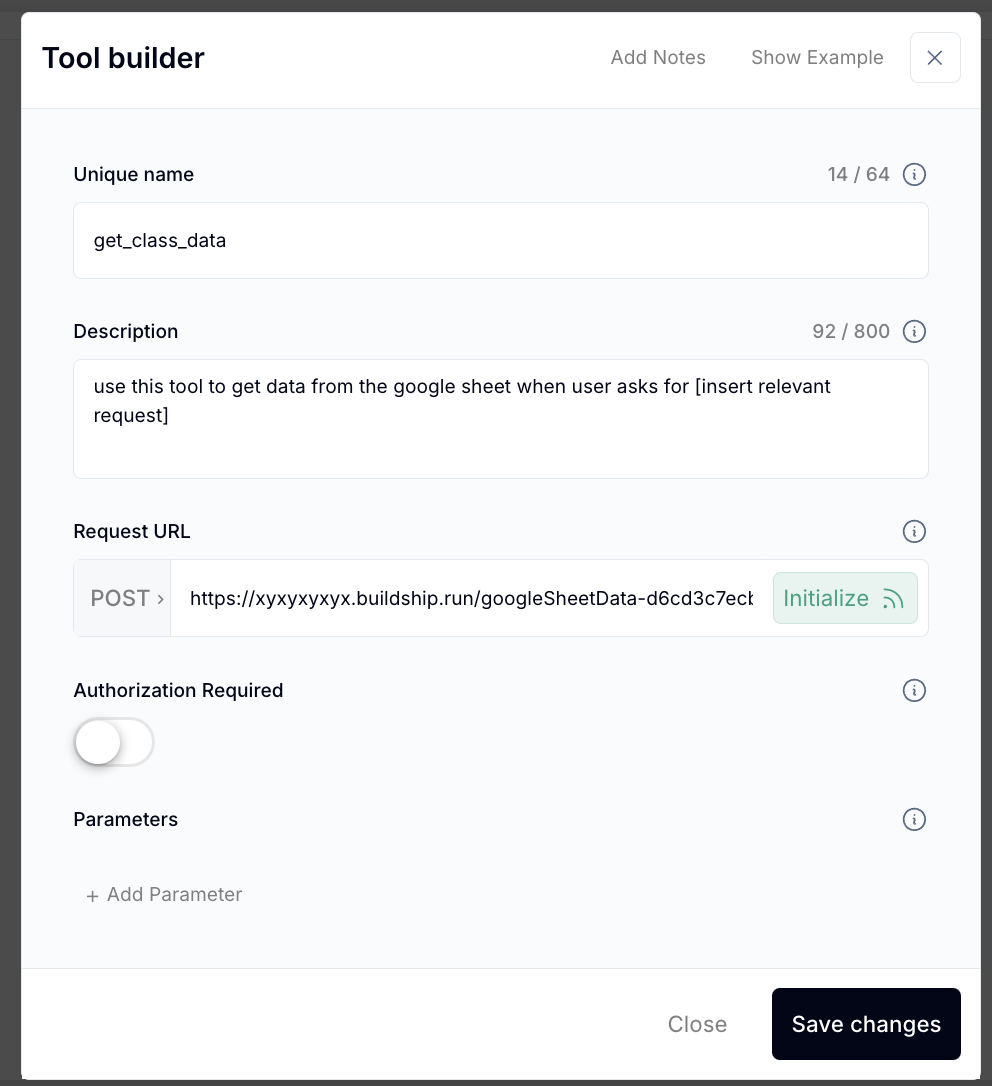
Copy the tool Unique name
Insert the condition the AI will listen for and then “use tool: tool_name”
Example prompt:
“if user asks about class data or requests information about a student use tool: get_class_data”
Ask the AI Assistant a question based on the sheet
Ensure it pulls the right data
Refine the sheet structure or AI prompts if needed
Q: Can I update the Google Sheet without breaking the integration?
A: Yes. Changes to the sheet are reflected live. As long as the structure (column headers) stays the same, the AI will continue to work with the updated content.
Q: What kind of data works best in a Google Sheet knowledge base?
A: Structured information like FAQs, service lists, pricing tables, product specs, common objections, or troubleshooting steps.
Q: Is Buildship free to use?
A: Yes, Buildship offers a free tier which is enough for most small to mid-sized knowledge base integrations.
Q: Does this work with multiple AI Assistants?
A: Yes, as long as each assistant is linked to the relevant Buildship automation and data source.
Q: Can the AI read long text entries or just short ones?
A: The AI can handle both, but shorter, direct responses (1–3 sentences) provide faster and more accurate replies in real-time chats or calls.
