This feature allows you to send automated email notifications (e.g., for failed payments, cancellations, or other important system events) through your Resend account. By connecting your Resend API key in the Agency settings, you ensure reliable delivery and control over your email communications.
Go to https://resend.com/ and sign up for a free or paid account.
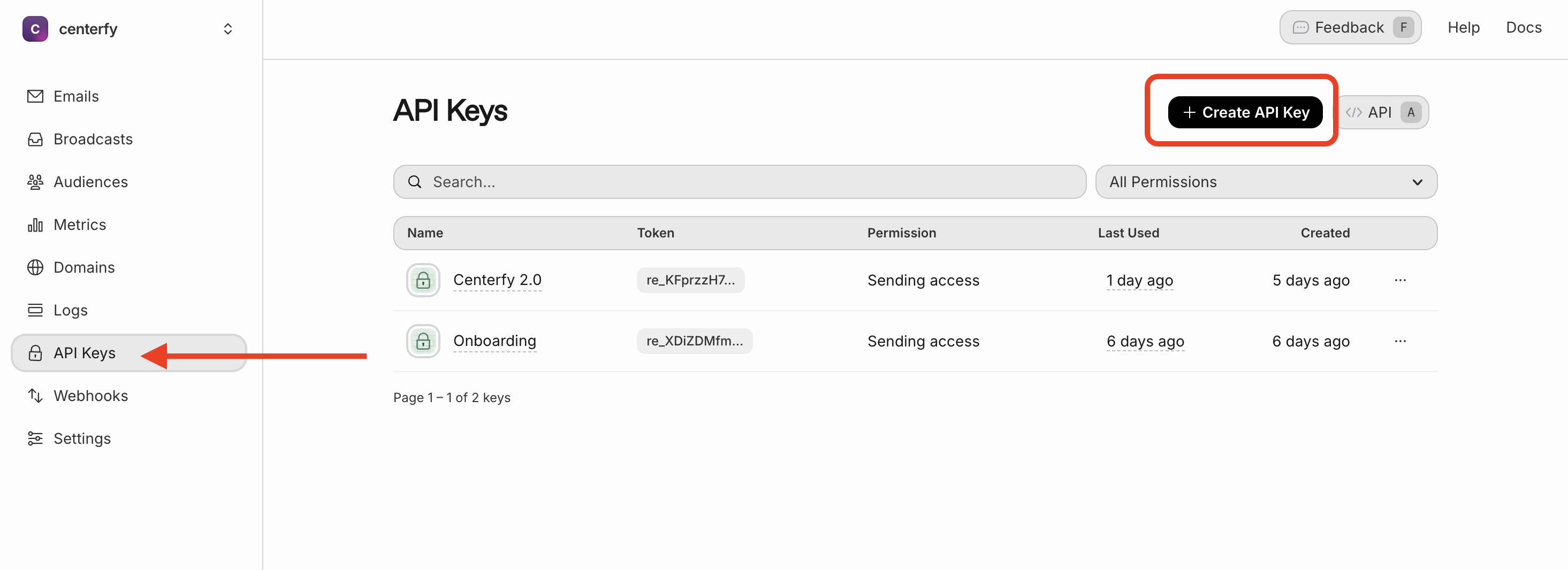
Once logged in, go to your Resend Dashboard
Navigate to API Keys
Create or copy your live API key
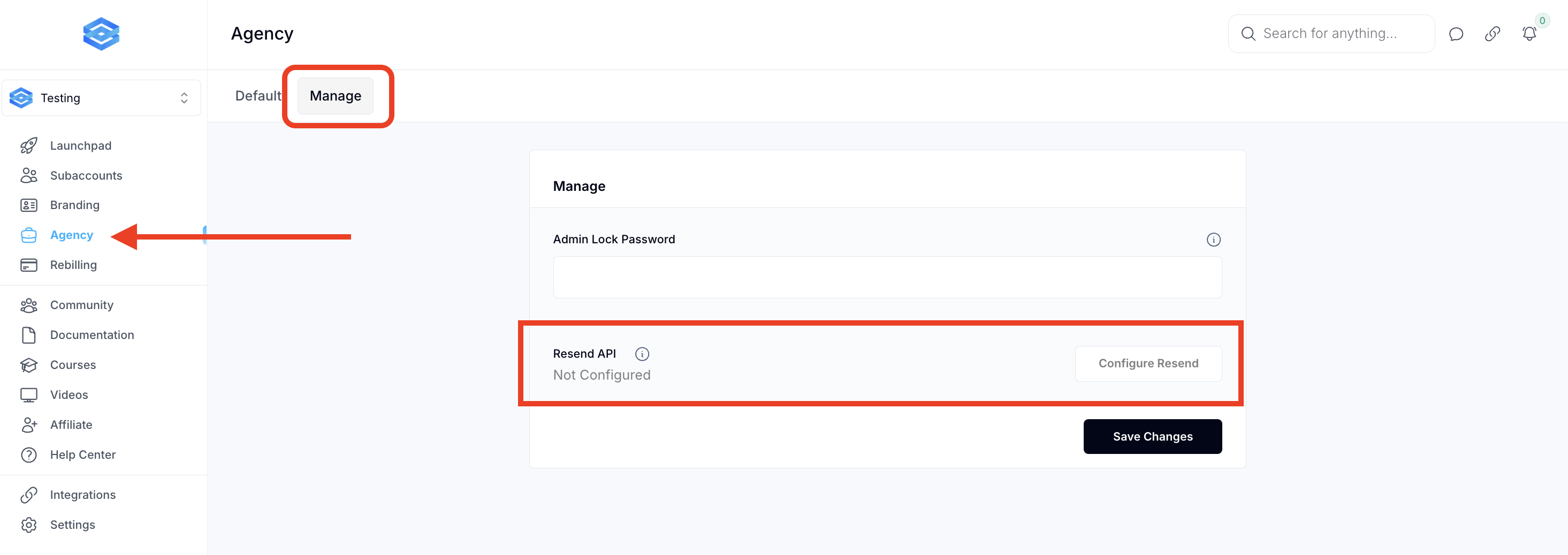
Go to your Agency Settings
Click on the “Manage” section
Find the Resend Integration field
Paste your API key into the designated input
Please paste your API key here:
Q: What is Resend used for in this setup?
A: Resend is the transactional email provider that sends email alerts triggered by events like failed payments or subscription changes.
Q: What kinds of notifications can I send?
A: Common examples include:
Failed payment notices
Subscription renewals
Cancellation confirmations
Custom system alerts
Q: Can I use another provider besides Resend?
A: At this stage, this setup specifically supports Resend. Additional providers may be supported in the future.
