The Self Schedule – AI "Call Me Back" Feature allows your AI agent to automatically offer and book a callback when a user requests one during a conversation. Instead of losing the lead, the AI gathers the user’s preferred time and schedules a call via your integrated calendar, ensuring timely follow-up and a smoother user experience.
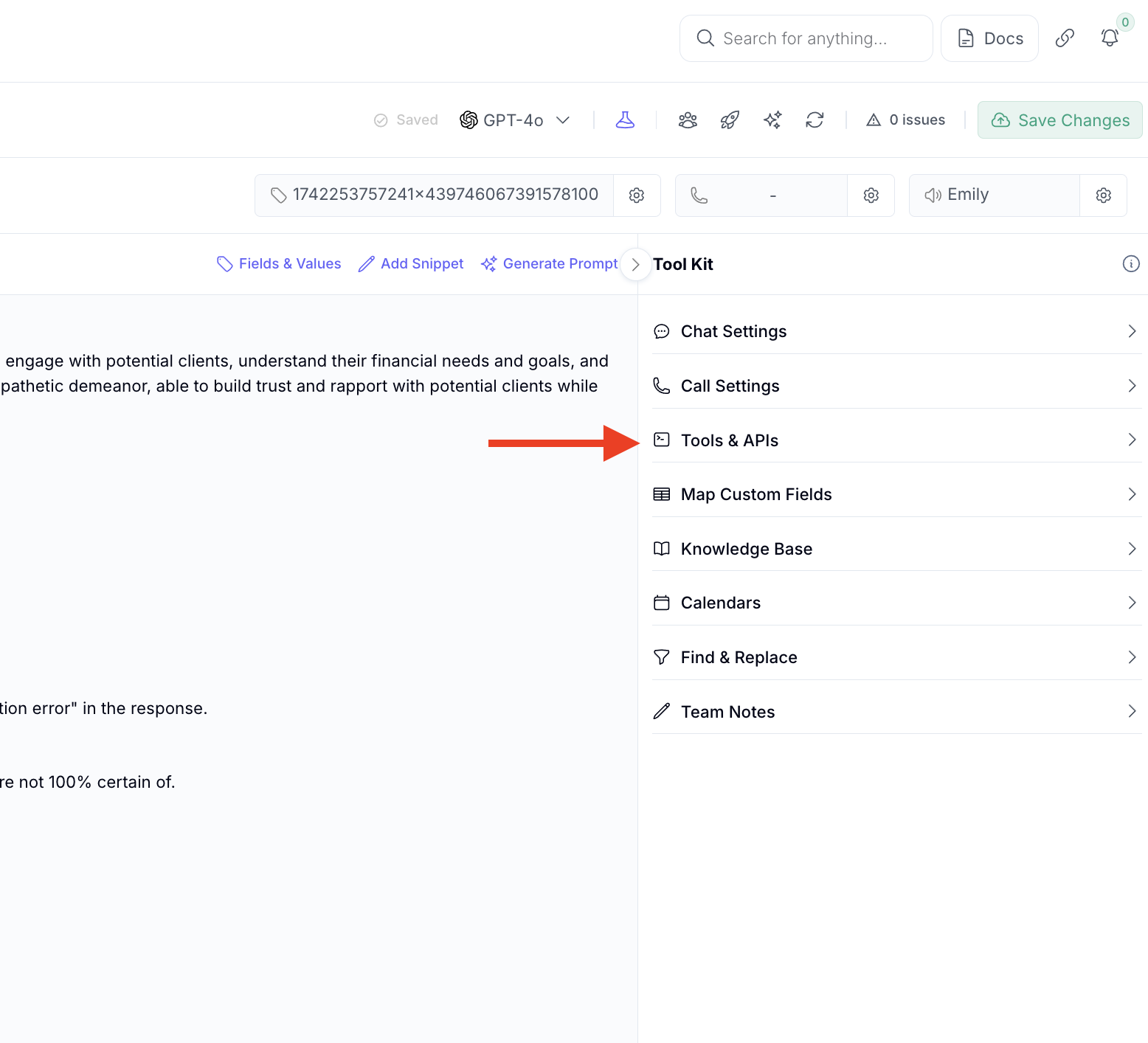
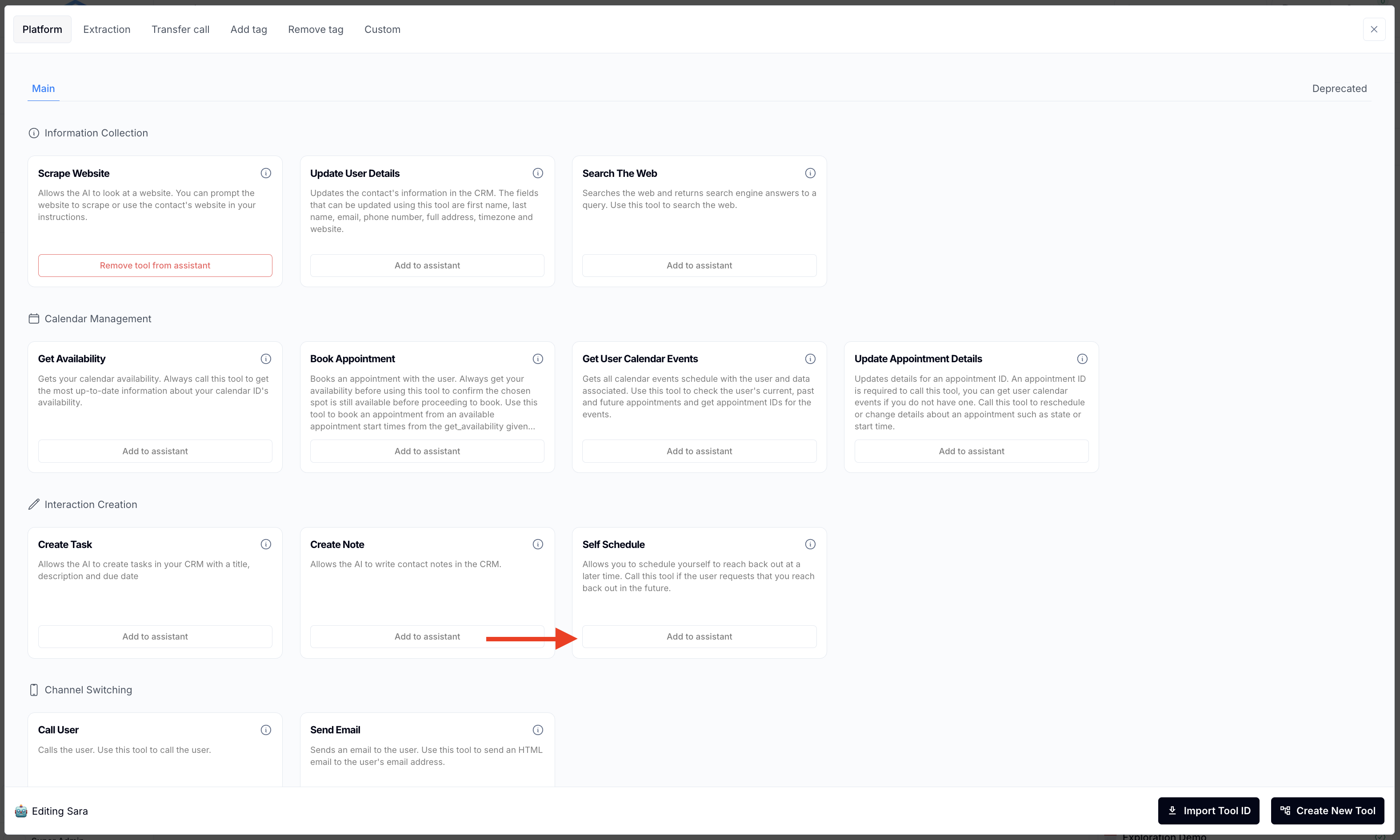
There is only 1 thing to do to enable this feature: Add the “Self Schedule” tool:
Q: How does the AI know when to offer a callback?
A: The AI listens for phrases like “can you call me back,” “not a good time,” or “schedule a call.” It then triggers a fallback intent or workflow to begin the scheduling process.
Q: Where is the callback scheduled?
A: The AI can be configured to schedule the callback directly into your connected calendar (e.g., via GHL calendar integration), or trigger a workflow that assigns the task to a human rep.
Q: Can users choose a specific time for the callback?
A: Yes. The AI will either:
Offer available times based on your calendar availability, or
Ask for their preferred time and then confirm/book it accordingly.
Q: What if the user doesn’t specify a time?
A: The AI can follow up with: “Would you prefer morning or afternoon?” or default to the next available time slot in your calendar system.
Q: How is the callback executed?
A: The callback will be AI-driven (the assistant calls them back automatically)
Q: Can I customize the follow-up message or confirmation?
A: Yes. You can configure SMS or email confirmations to be sent via GHL or your CRM, confirming the callback and including any custom message via custom workflows
