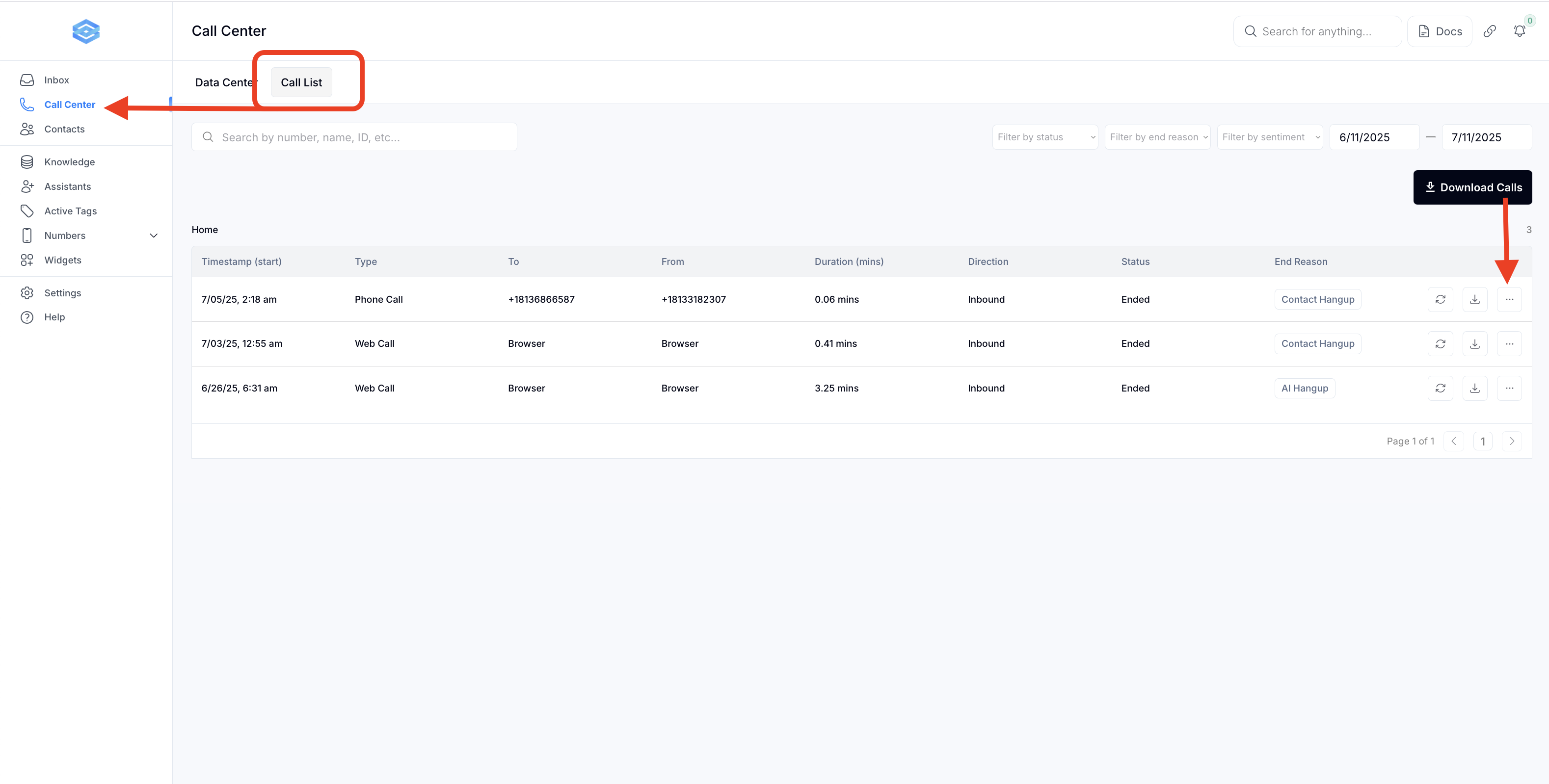
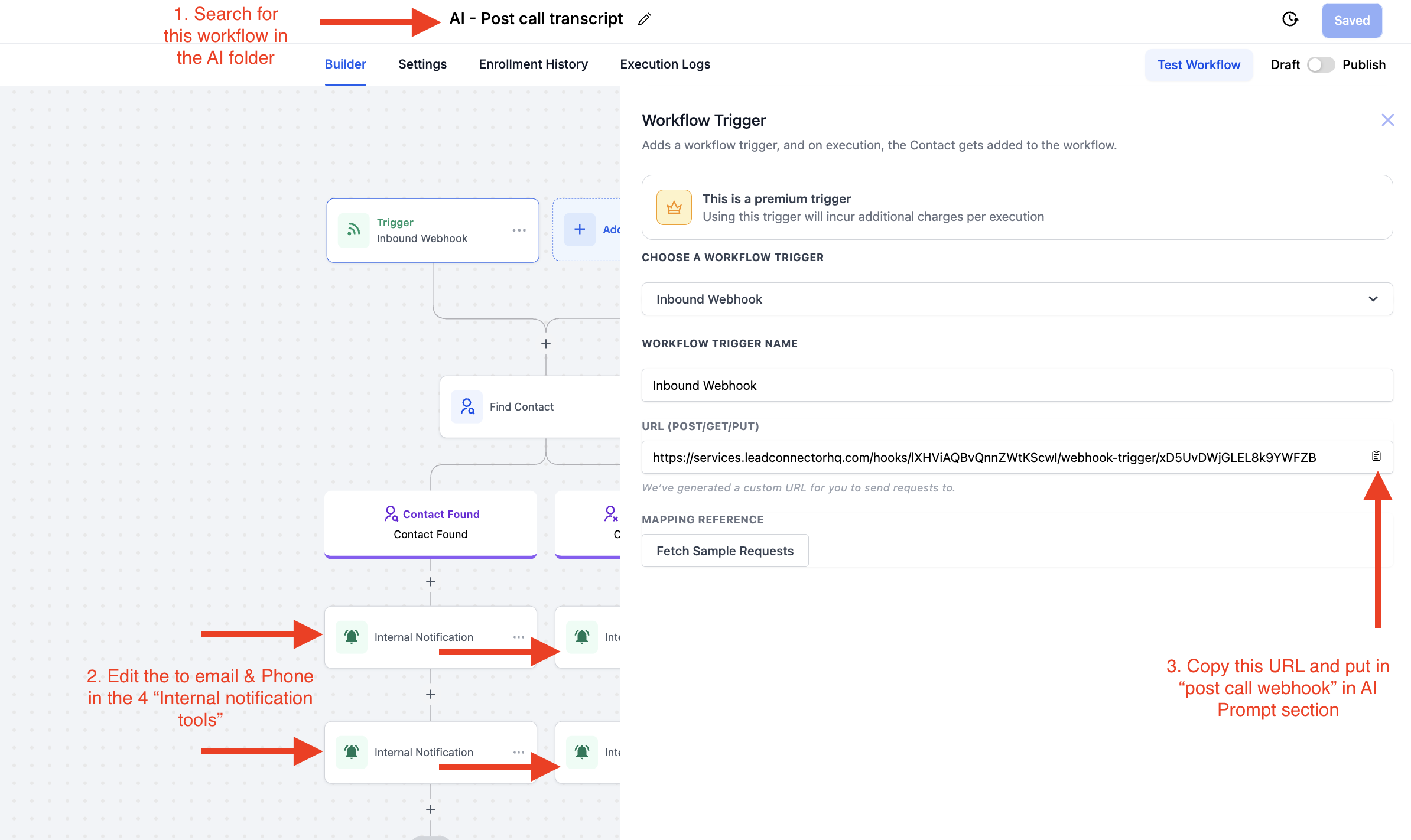
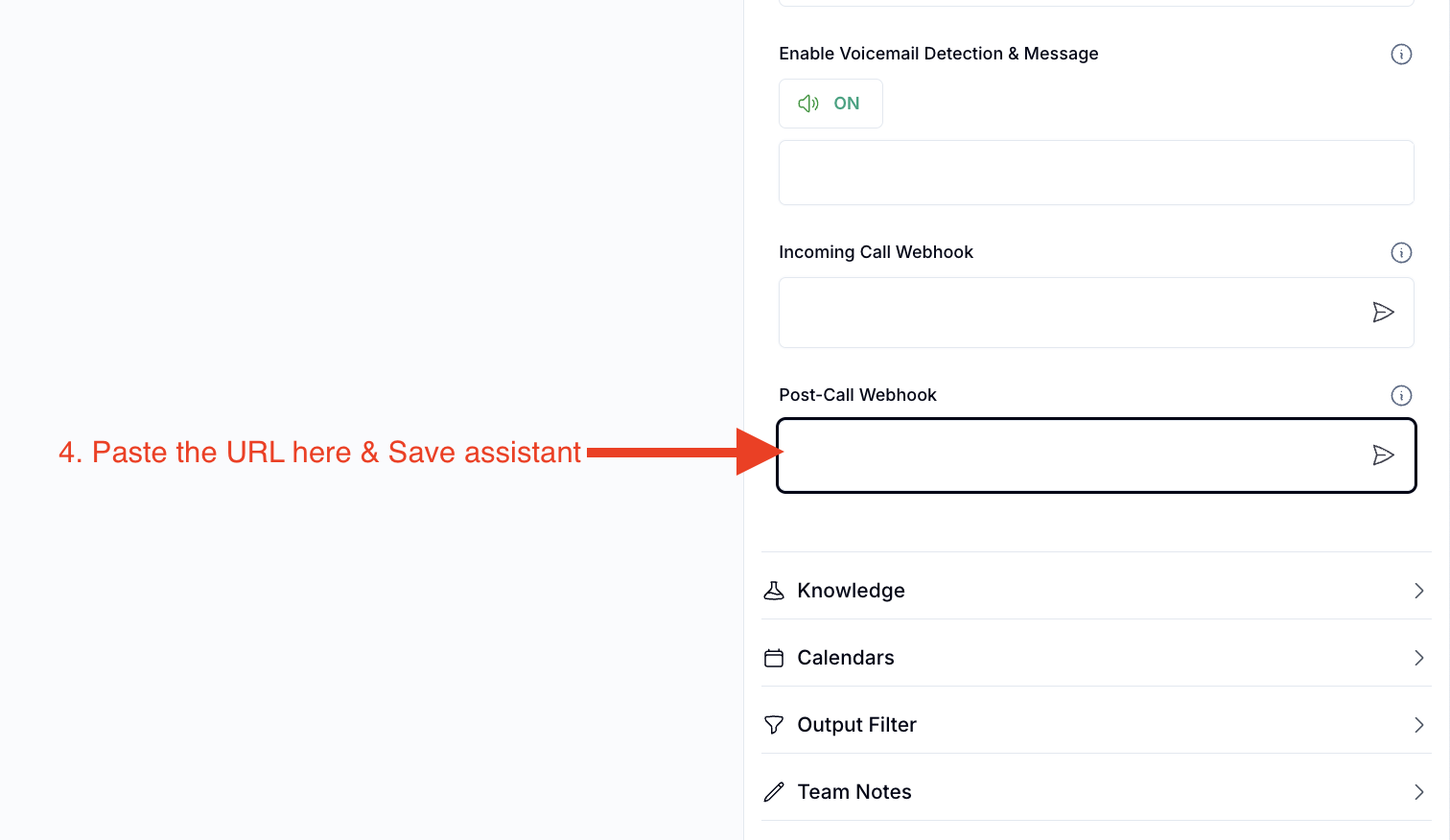
The Transcript & Call Summary feature allows you to automatically capture and share AI Voice call transcripts and summaries across your systems. This includes sending the data to Slack, external CRMs, or triggering workflows—plus utilizing ChatGPT to analyze the full transcript for deeper insights.
Video:
Step 1
Step 2
FAQs
Q: How do I send call transcripts and summaries to Slack?
A: Connect your Slack workspace via webhook or native integration. You can configure the AI call assistant to push the summary and transcript to a specific Slack channel after each call.
Q: Can I push the call data to my CRM?
A: Yes, using webhooks or API integration, you can send the call summary and full transcript to external CRMs like HubSpot, Salesforce, Go High Level, and others.
Q: How does ChatGPT analyze the transcript?
A: After the call ends, the transcript can be sent to ChatGPT for analysis. It can extract key insights, objections, sentiments, lead qualification, or next steps—depending on your workflow setup.
Q: Can I trigger other automations based on the call content?
A: Absolutely. You can use keywords or AI-detected intents in the transcript to trigger workflows such as follow-up emails, assigning tasks, or updating pipeline stages.
Q: Where can I view or download the full transcript?
A: Transcripts are stored in your call logs or sent using the above instructions via webhook.
Q. Can my AI integrate with Zapier?
A. Yes, you would just get the webhook URL from Zapier and insert into the post call webhook and click arrow button to “intiate”:
Q. Can I manually view the Transcript and recording?
A. Yes you can in call center > call list section (screenshot below)